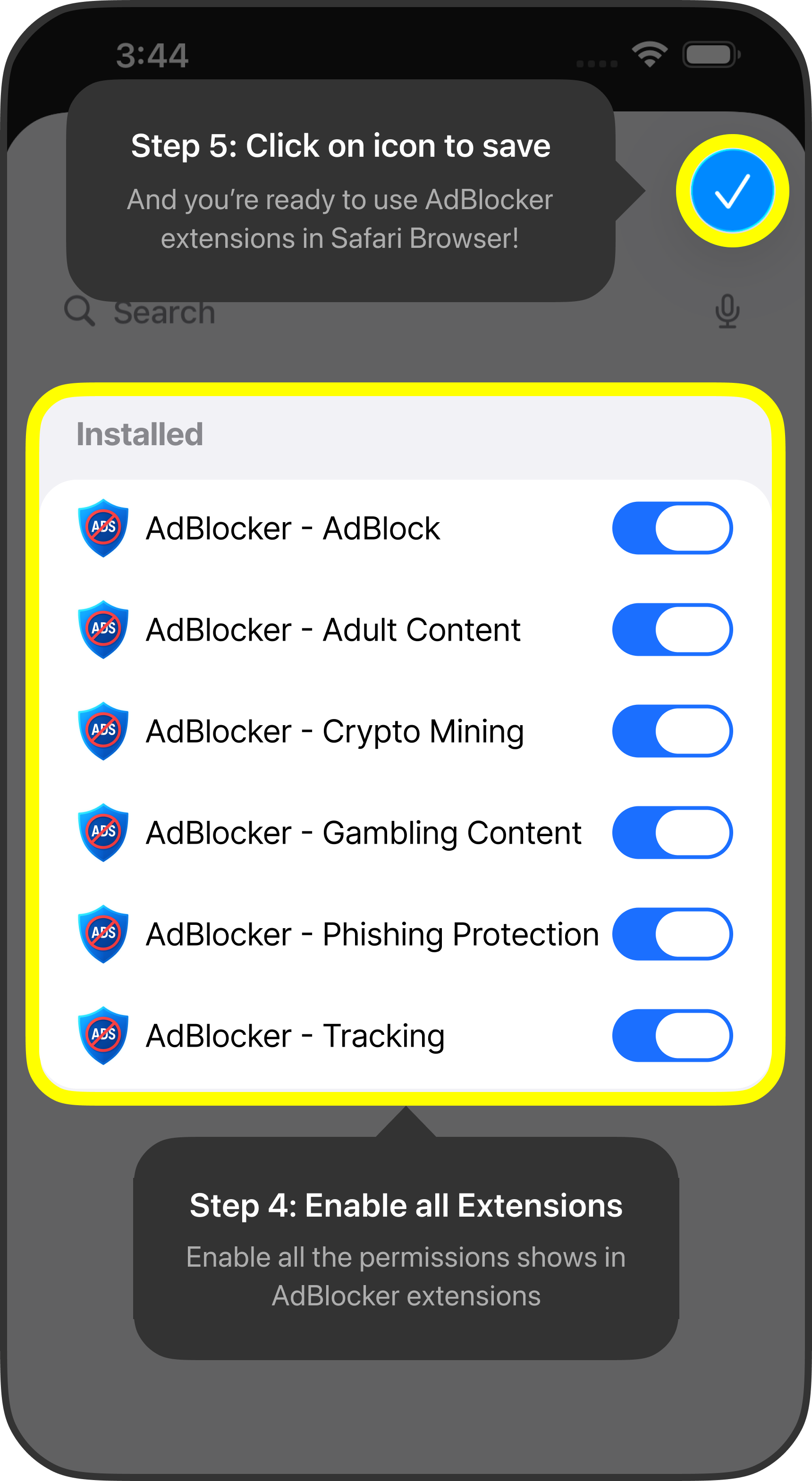
How to enable Extensions
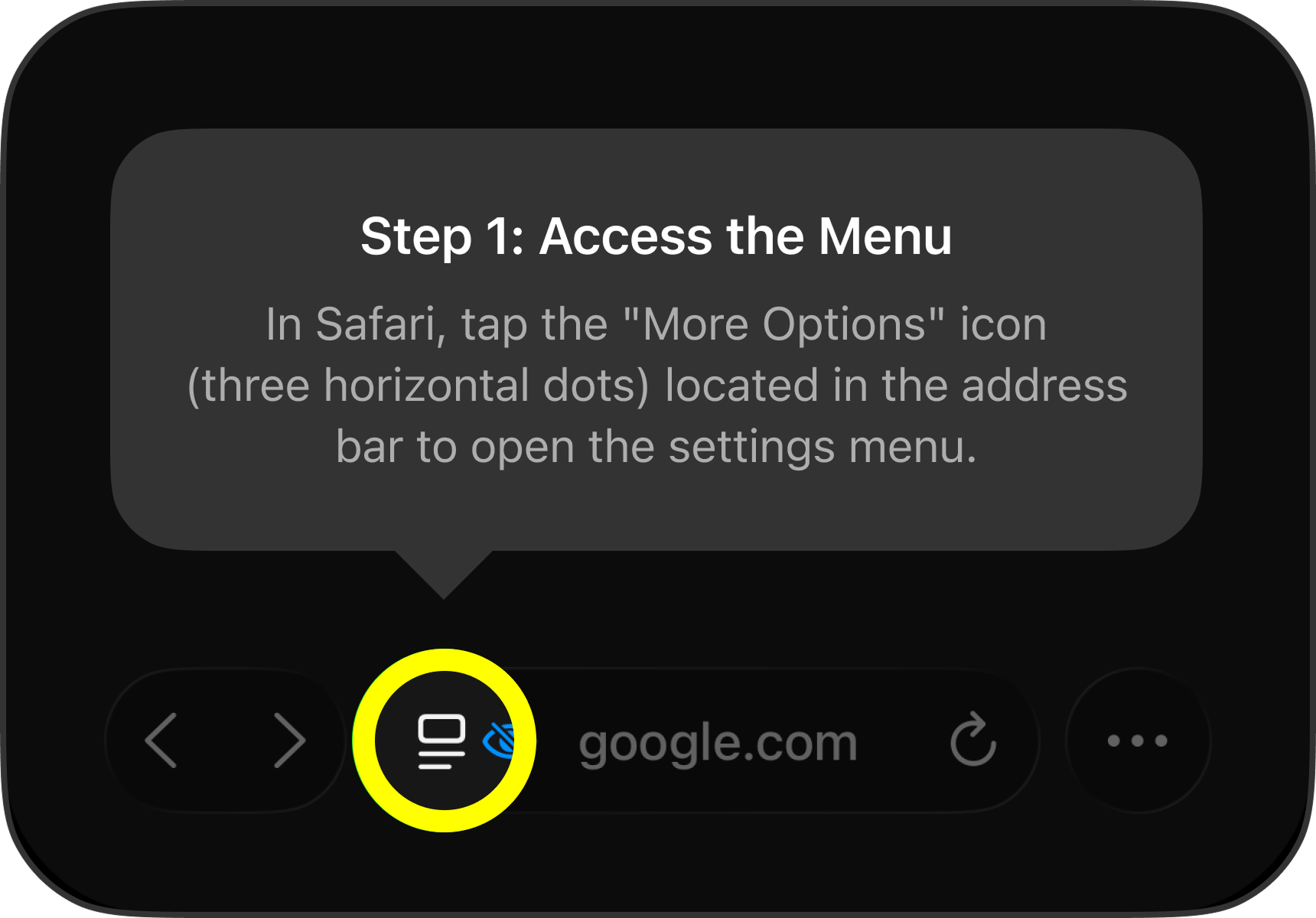
Step 1: Access the Menu
In Safari, tap the "More Options" icon (three horizontal dots) located in the address bar to open the settings menu.
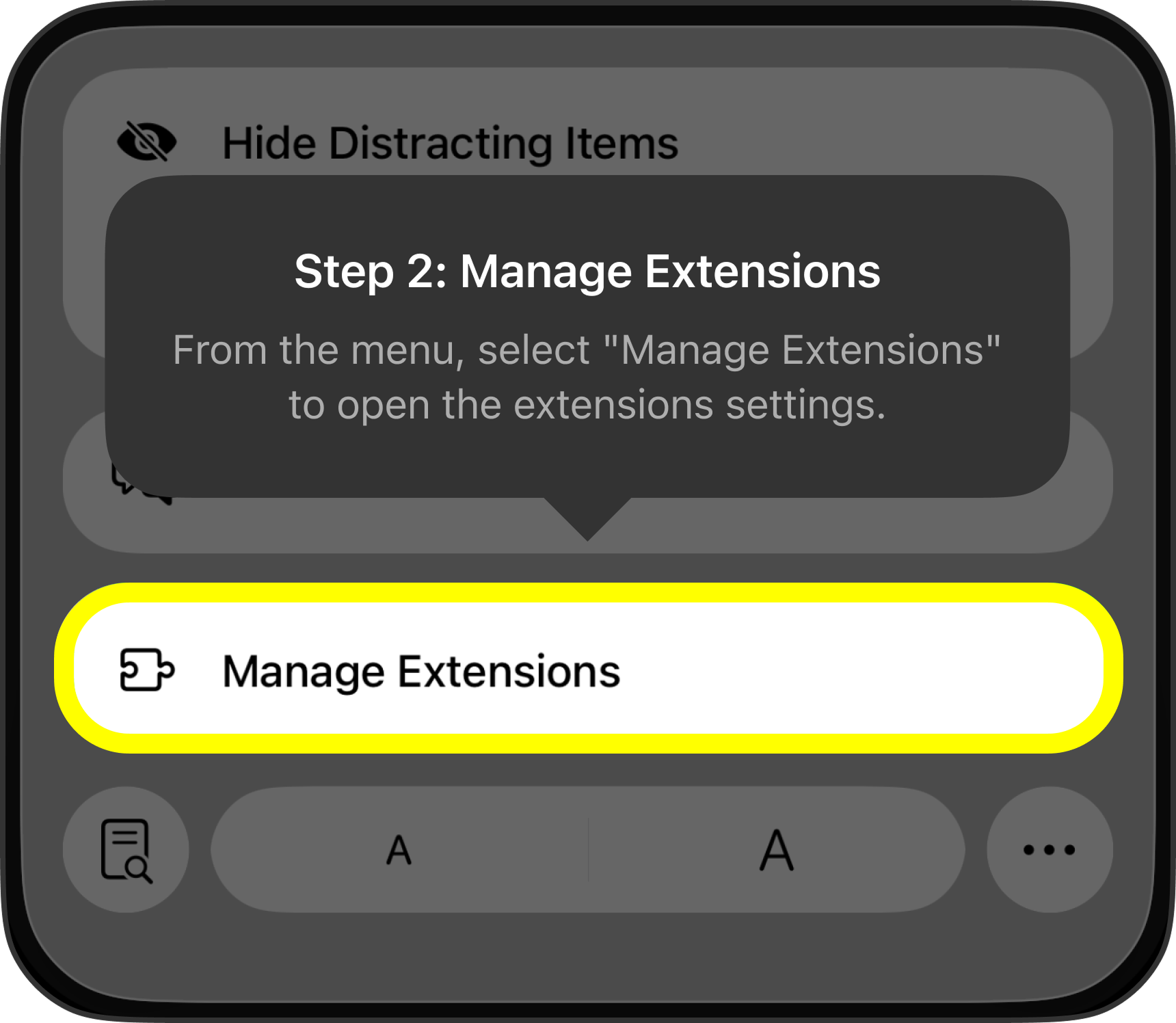
Step 2: Manage Extensions
From the menu, select "Manage Extensions" to open the extensions settings.
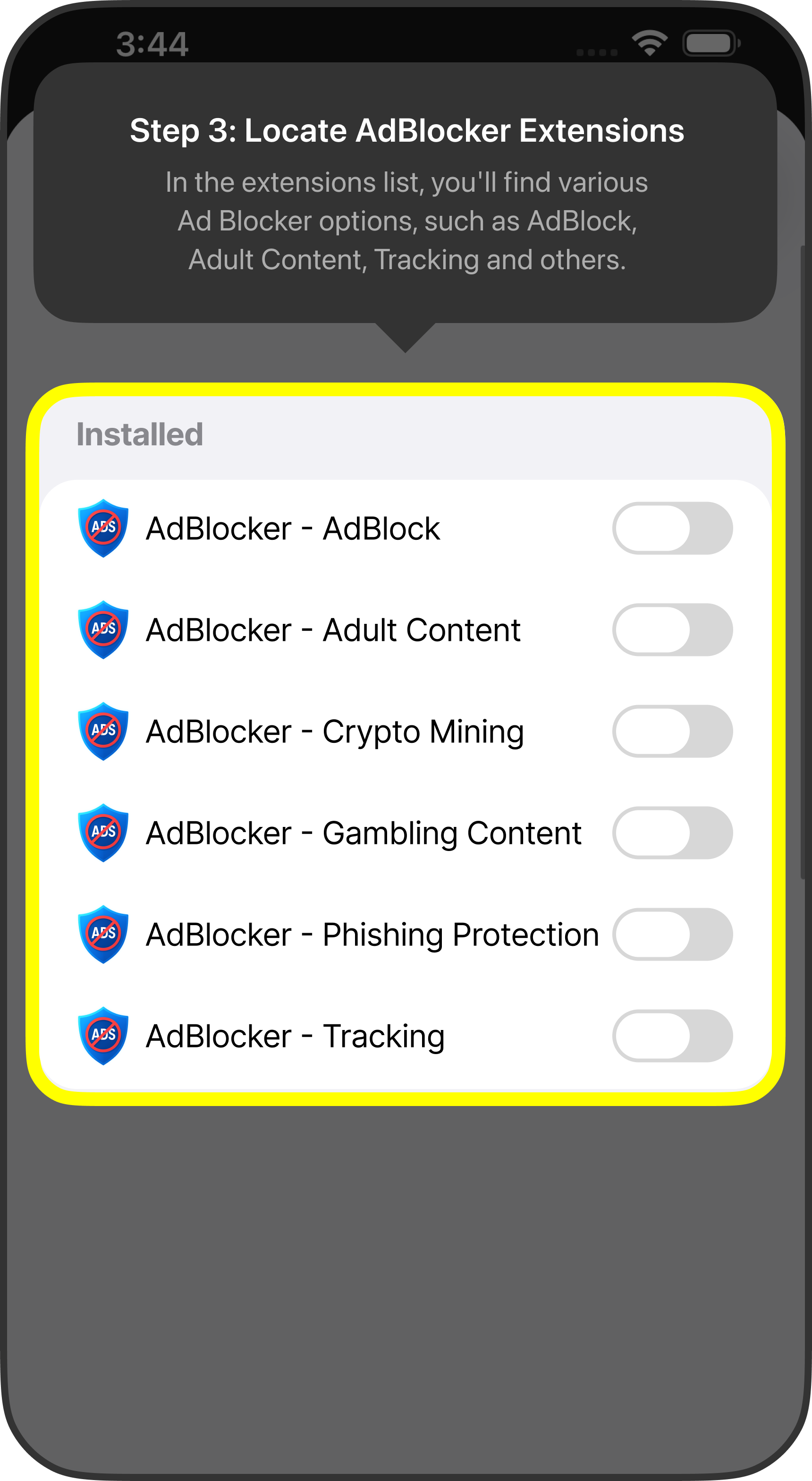
Step 3: Locate Ad Blocker Extensions
In the extensions list, you'll find various Ad Blocker options, such as AdBlock, Adult Content, Tracking and others.
Step 4: Activate the Extensions
Switch on the toggle next to the Ad Blocker extensions you want to enable. A green toggle means the extension is active.